| | | | | | | In July, we launched Community to help you engage your audience in a totally new way. It’s a branded home where your audience can connect with you and each other, building deeper relationships beyond the inbox. | Today, we’re making communities on beehiiv even more powerful and easier to manage. Here’s what’s new:
👤 Custom Profile Fields
🗺️ Member Directory
🔔 Email Notifications
📲 Mobile-First Experience
🎛️ Community Manager Role | New to Community? You can launch one from your dashboard in just a few clicks, with all these new features waiting for you. | Let's dive in 👇 |
| |
| |
|
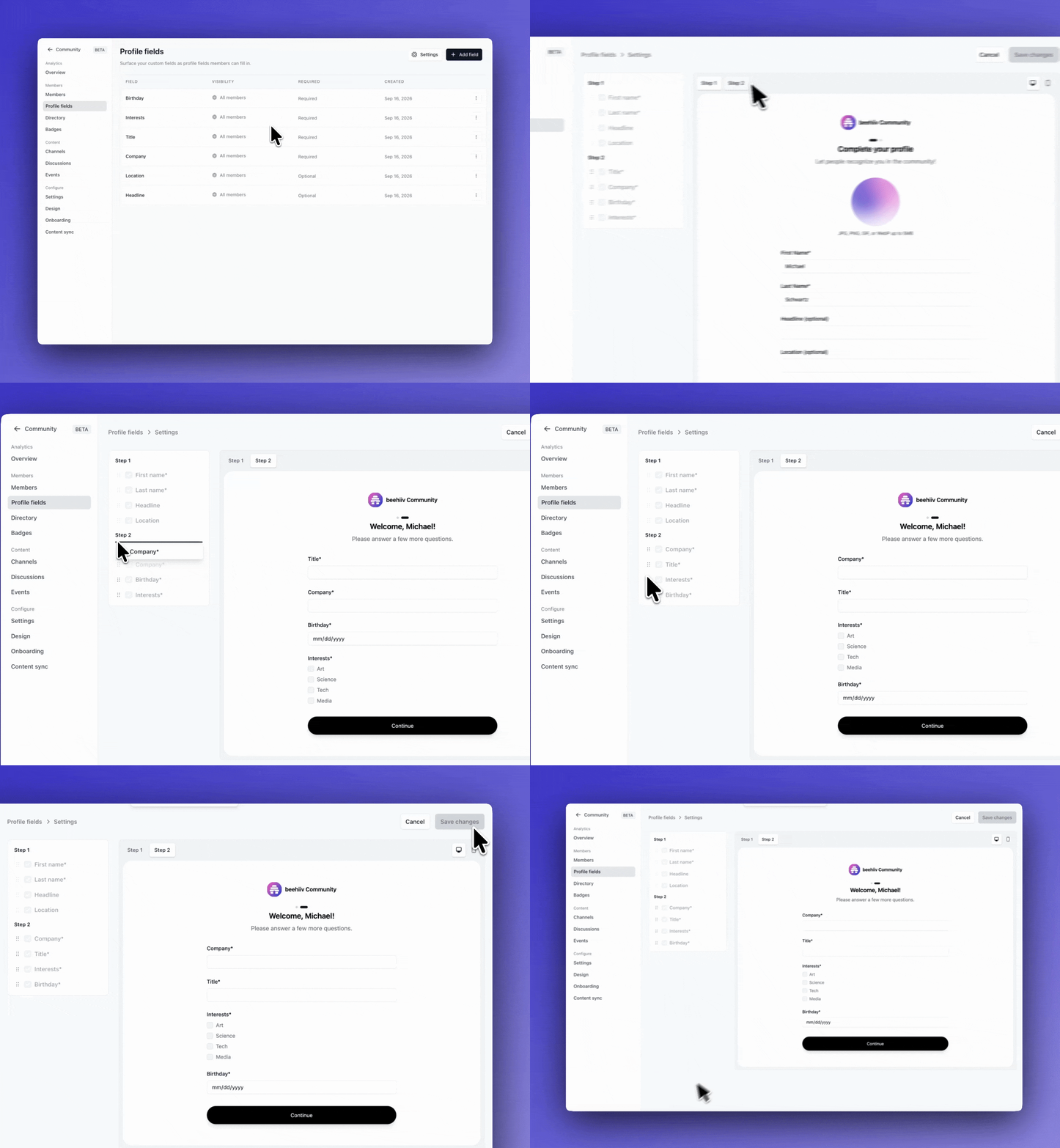
| | | | | | Members already share a name, avatar, headline, and location during onboarding. | Now, you can use that onboarding flow to collect anything else you want to know, like where they work or what they’re hoping to get out of your community. | You control every field: | Required or optional. Make a field required for every new member, or let them skip it. Who sees the answer. Selecting ‘All members’ adds it to their community profile. ‘Admins only’ keeps it private between you and the member. What order they’re asked. Just drag and drop to rearrange the onboarding flow.
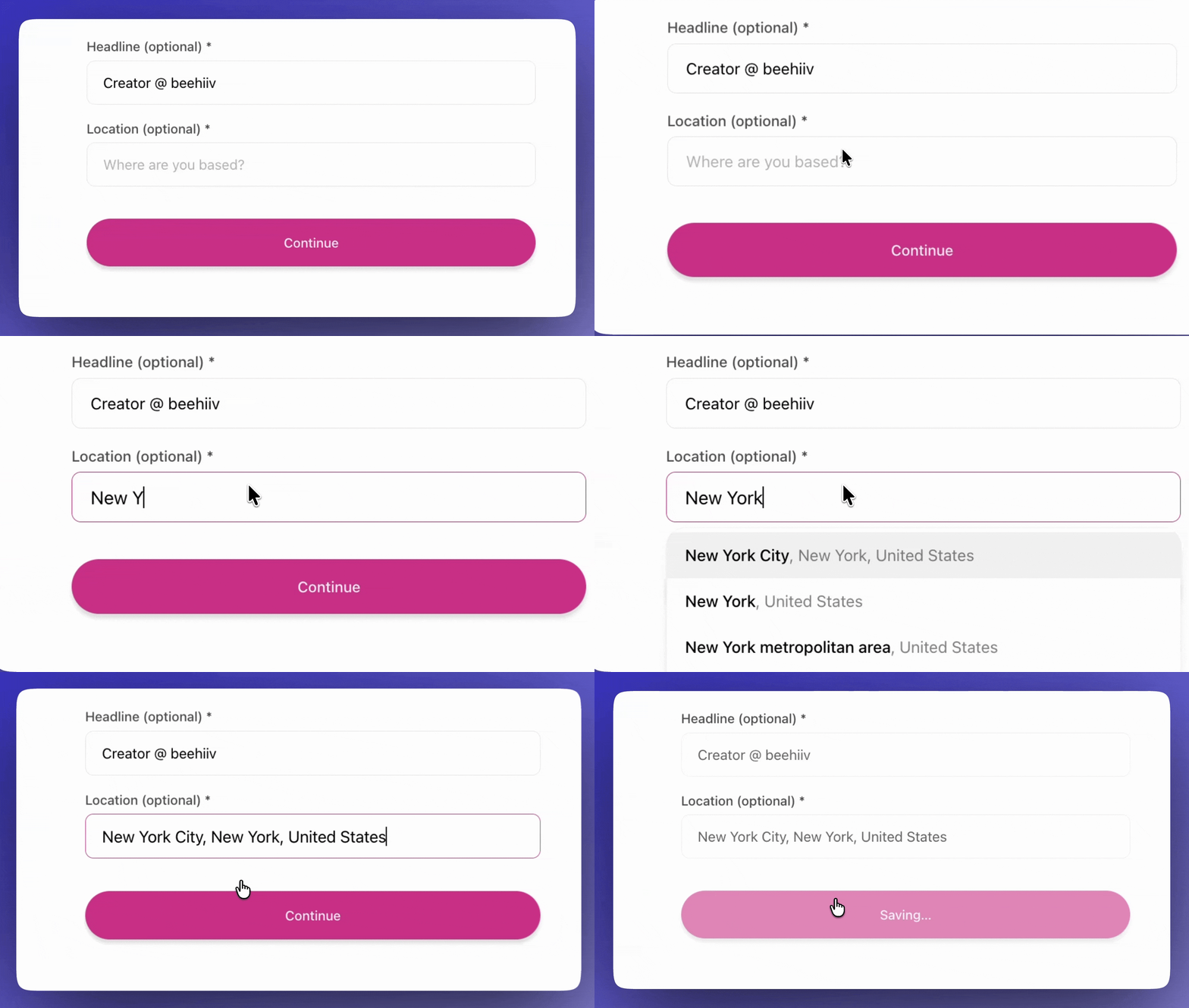
| | You can also add new fields later. Existing members will be prompted to fill them out the next time they visit, so your member profiles always stay up to date. | And in that same spirit of making member data more useful, we’ve also updated the core location field. Now, members can search and select their location instead of entering free text. So whether you’re building a digital, IRL, or hybrid community, it’s easier than ever for you to understand where your members are based. | | The best part? All of this data lives on your subscriber records as custom fields, so you can use it in segments, automations, and anywhere else across beehiiv. Your community connects seamlessly with the rest of your content ecosystem, and it all starts with the data. | | Note: Community is available across all of our paid plans. You can learn more and/or upgrade here. |
|
|
| |
| |
|
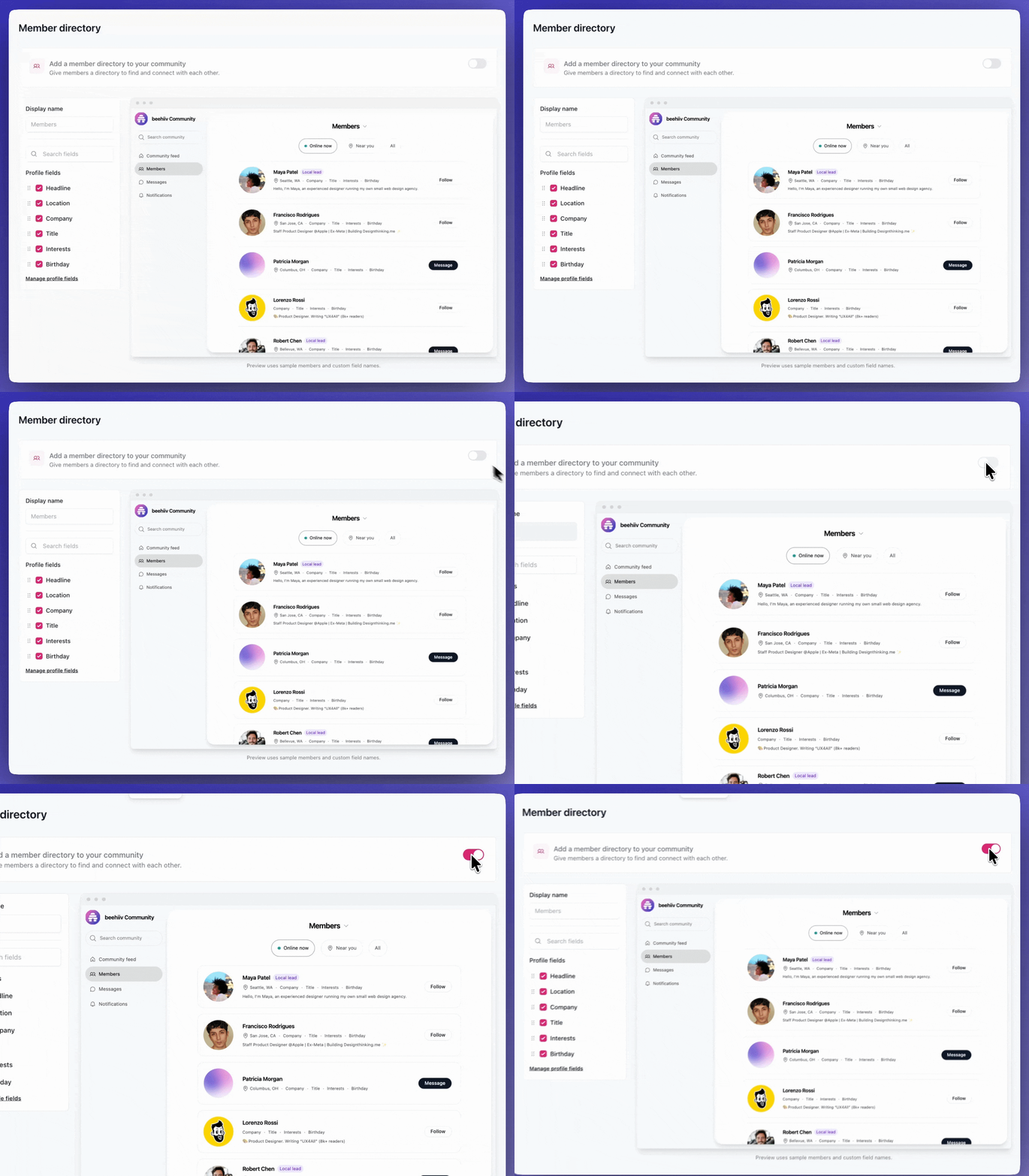
| | | | | | Your community members can now find and connect with the right people, all on their own. | Most member directories stop at a name, photo, and maybe a short bio. beehiiv lets you customize yours with information that matters to your community, whether that’s location, company, role, or any of the custom profile fields you’ve collected. | | To make it even easier for community members to connect, the Directory includes two filters: Online Now and Near Me. And if members already know who they’re looking for, they can find them through Global Search. | While the Directory makes it easier to be discovered, members are still in control of their visibility. Anyone who’d rather not appear can hide themselves from the Directory in their settings, without leaving your community. | The Directory is off by default, so you can turn it on whenever you’re ready. You don’t even need to call it a “directory” — rename it to whatever makes sense for your community. You’ll find it under Community → Directory. | | Note: Community is available across all of our paid plans. You can learn more and/or upgrade here. |
|
|
| |
| |
|
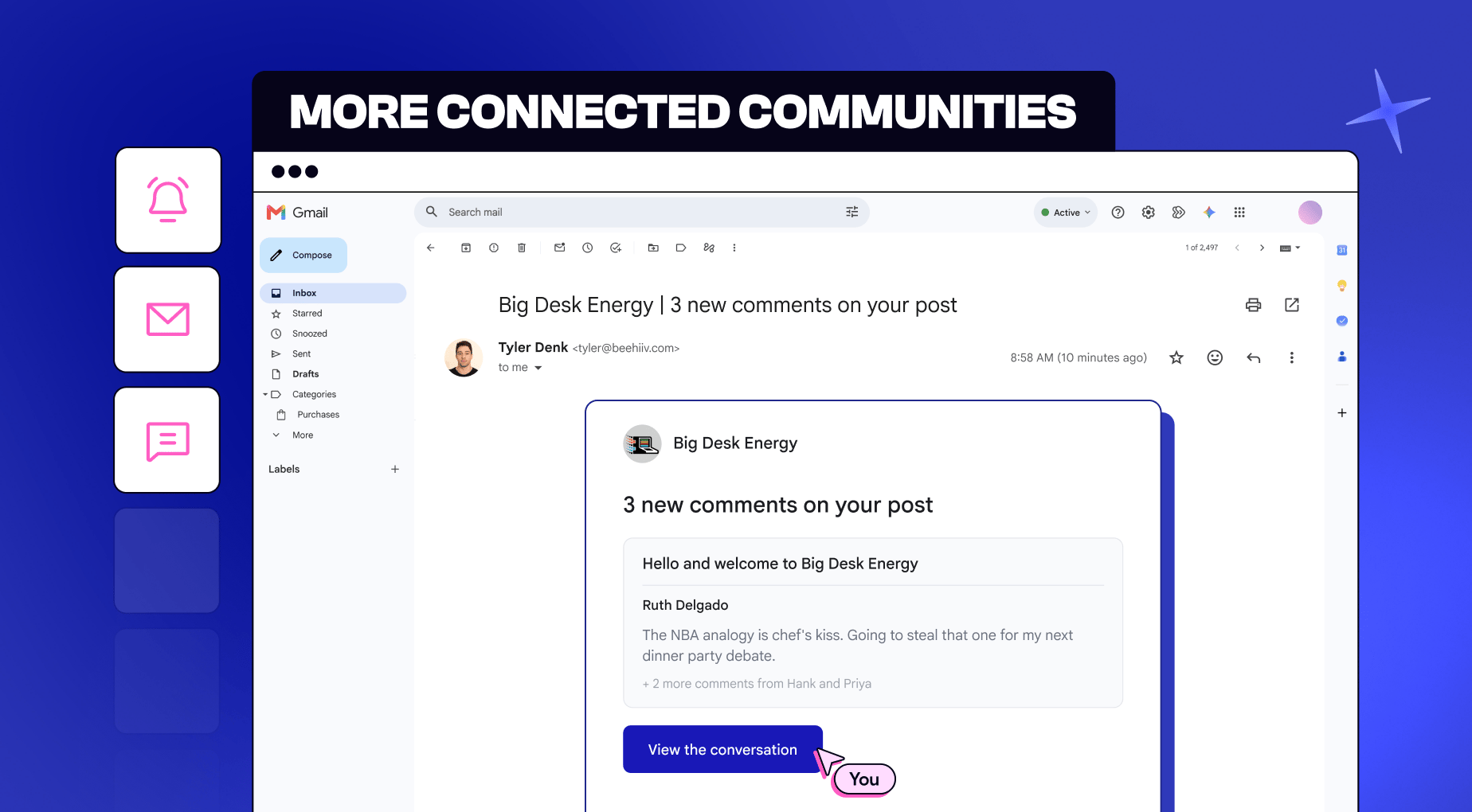
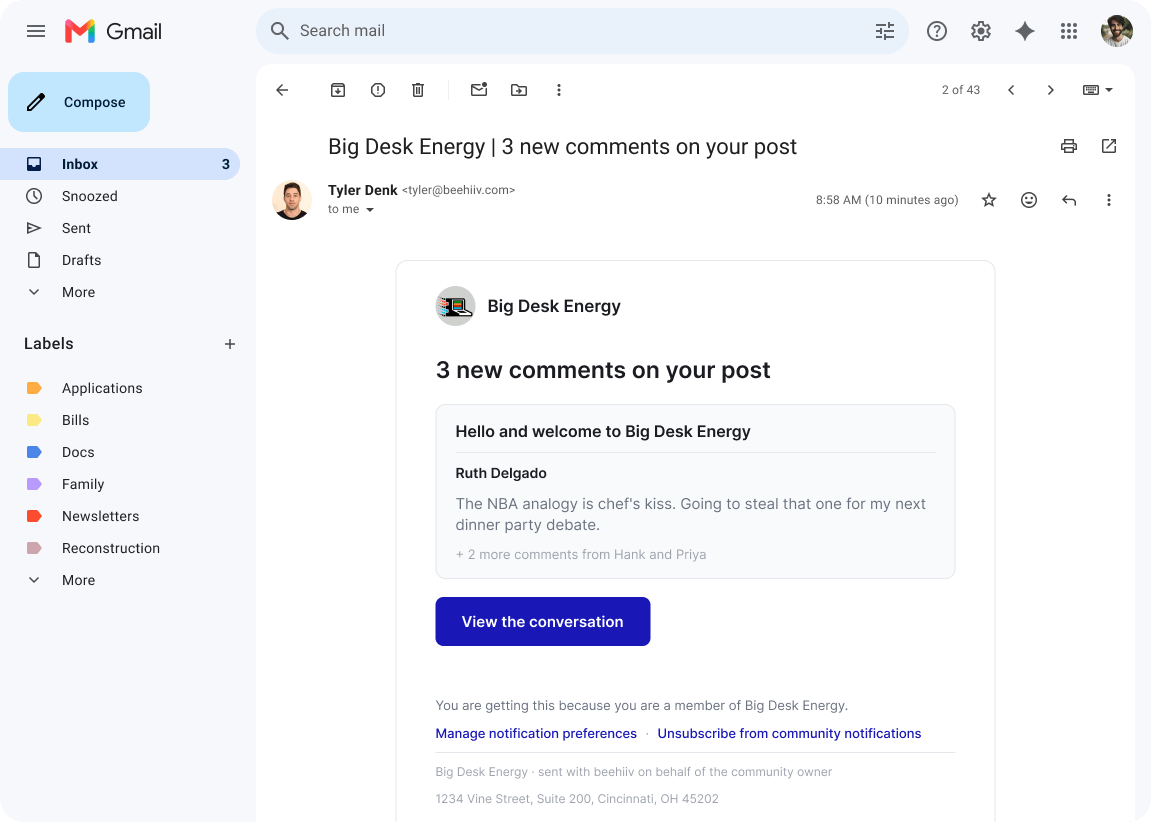
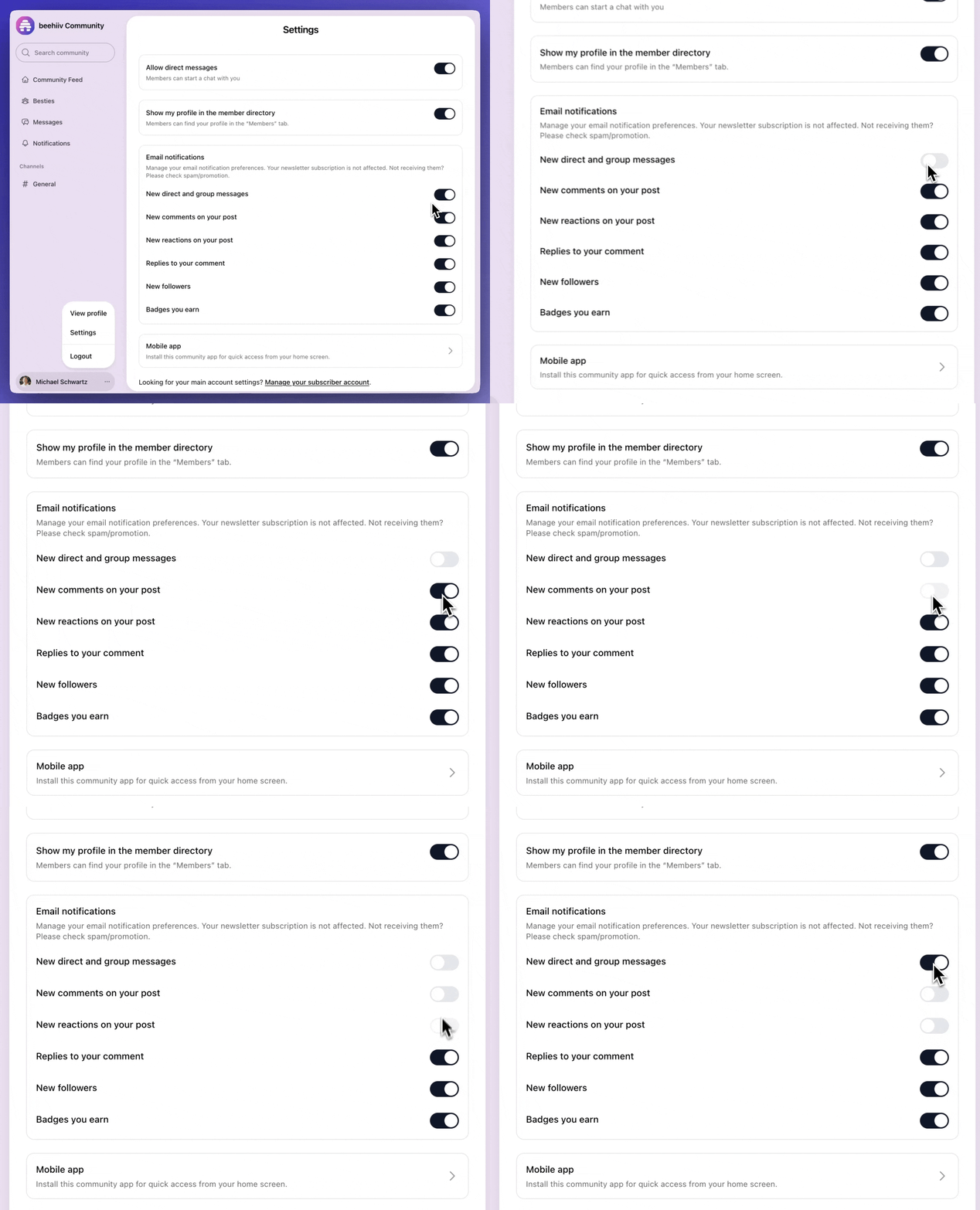
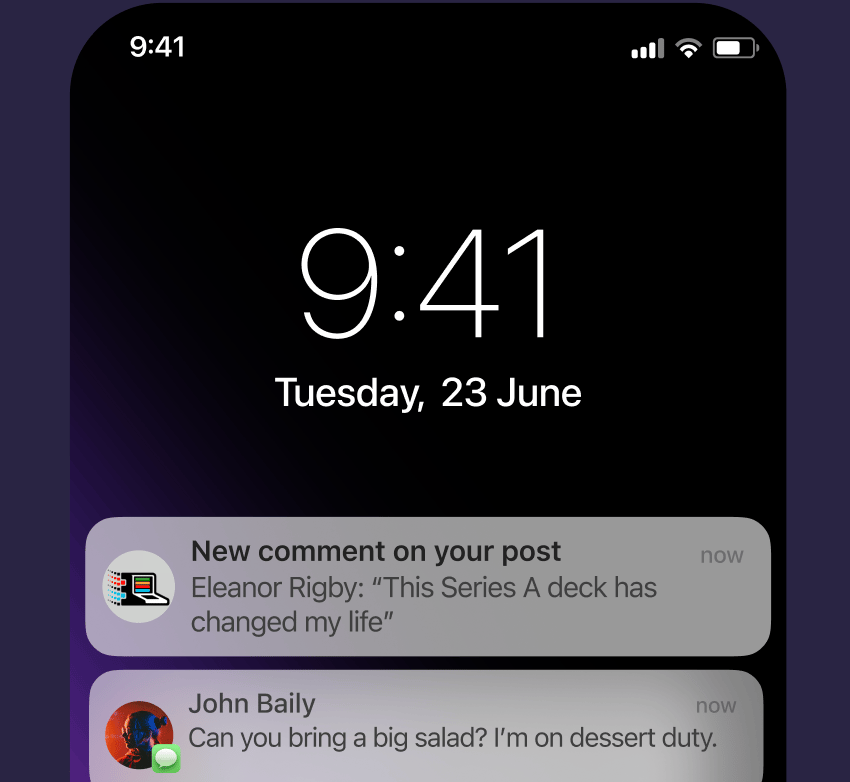
| | | | | | With email alerts, it’s easier than ever to keep members coming back. | These alerts let members know when they’ve received a direct message, comment, reply, follow, or a new badge, and each one includes a link right back into the conversation. | | If you enable email notifications, members still control exactly which updates they receive. Their newsletter subscription stays separate, so community notifications don’t interfere with the emails they already signed up for. | | Email notifications are sent from your custom domain and sender name, so you’ll need to enable that first. | | Note: Community is available across all of our paid plans. You can learn more and/or upgrade here. |
|
|
| |
| |
|
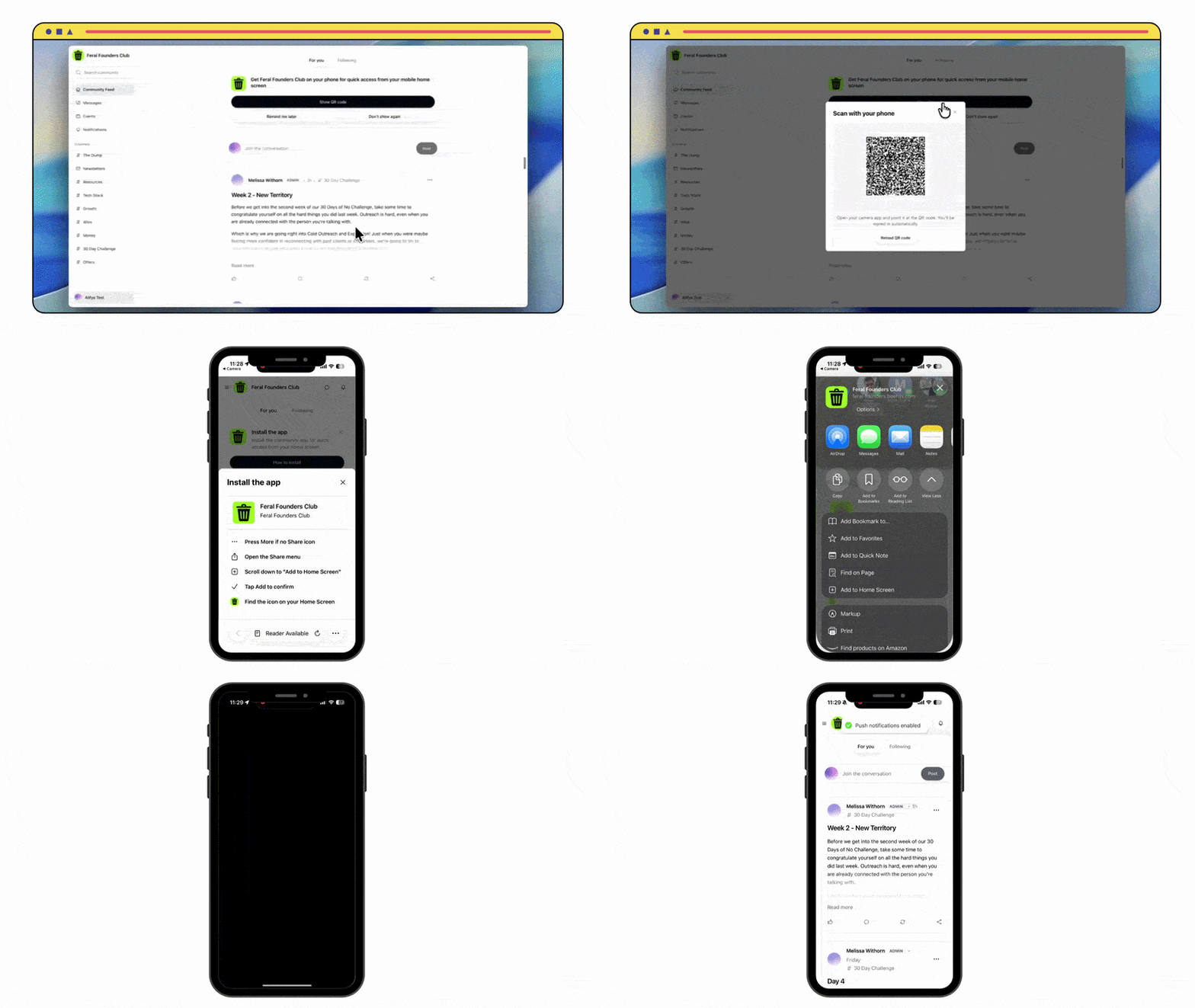
| | | | | | Your members can now take your community with them, wherever they go. | When someone joins on desktop, we’ll prompt them to add your community to their phone. | The process is simple: | Scan a QR code with their camera Get signed in automatically Follow a few prompts to install Start receiving mobile push notifications
| No URL to type. No second login. No app store. | | The next time they get a push notification, it’ll come from your brand, with your favicon and app name (not beehiiv’s). | | That branded mobile experience pays off: we’ve found that people who install your community app have 2.5x the engagement rate. | There’s nothing extra to set up. Just make sure the Mobile App toggle is on under Community → Settings, and the desktop-to-mobile flow works automatically. | | Note: Community is available across all of our paid plans. You can learn more and/or upgrade here. |
|
|
| |
| |
|
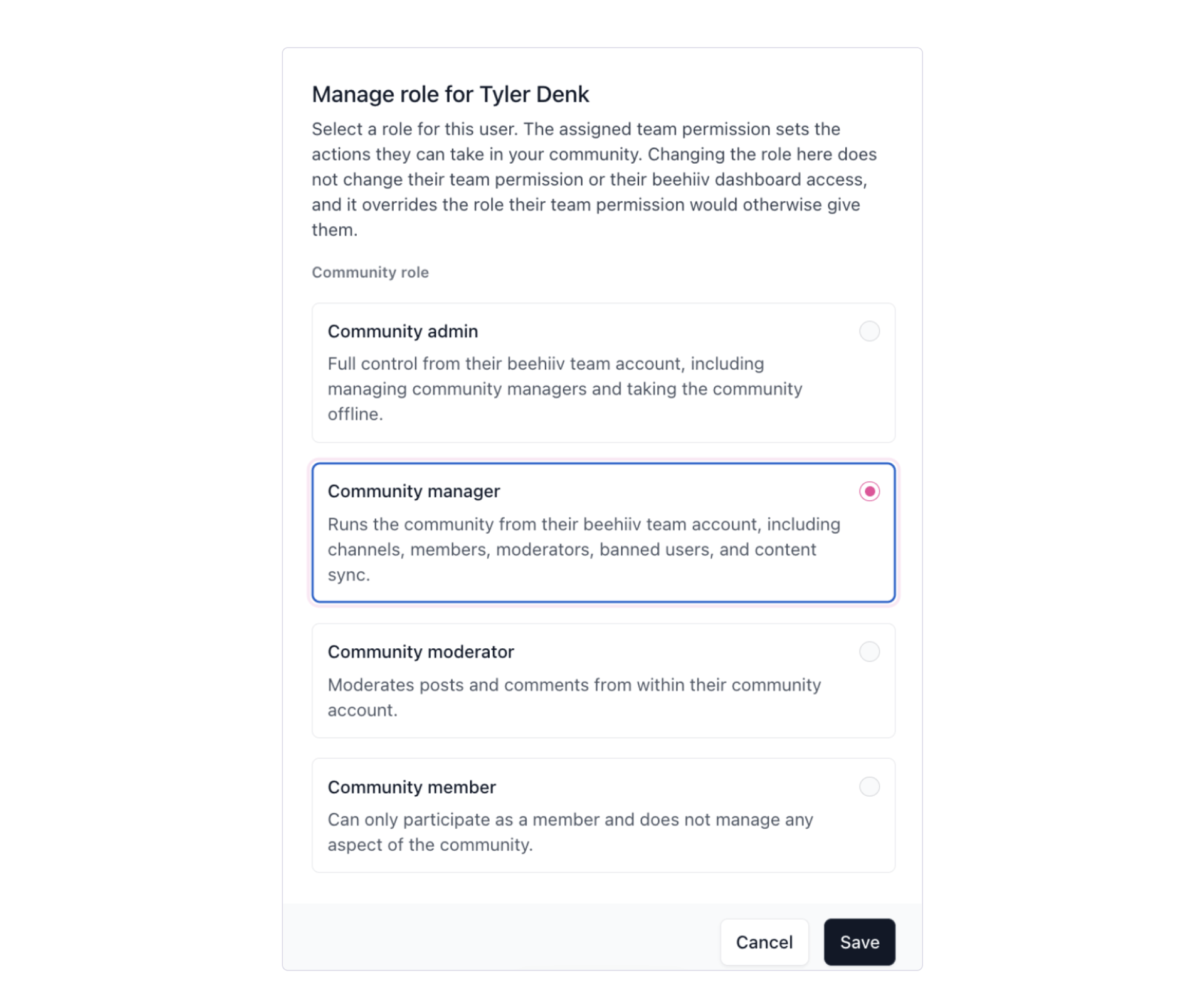
| | | | | | | As communities grow, managing them often becomes a team effort. So we’ve added a new role built specifically for Community Managers. | This new role gives them the access they need, without handing over full admin control. | It sits between Moderator and Community Admin. Community Managers can create and edit channels, invite and remove members, manage Moderators, and review reported content. | | Full Admin access stays with you. Only Admins can grant Admin access, promote someone to Community Manager, or take the community offline. | Similarly, Community Managers can ban members and Moderators, but they can’t ban other Managers or Admins. | To manage your community, they just need a team seat in your publication or workspace. | | Note: Community is available across all of our paid plans. You can learn more and/or upgrade here. |
|
|
| |
| |
|
|
|