|
New on Substack: chat channels, lists, freewalls, discounts, podcast updates, and more
More ways to connect with your audience, get paid for your work, and be in control of your feed
| ||||||||||||


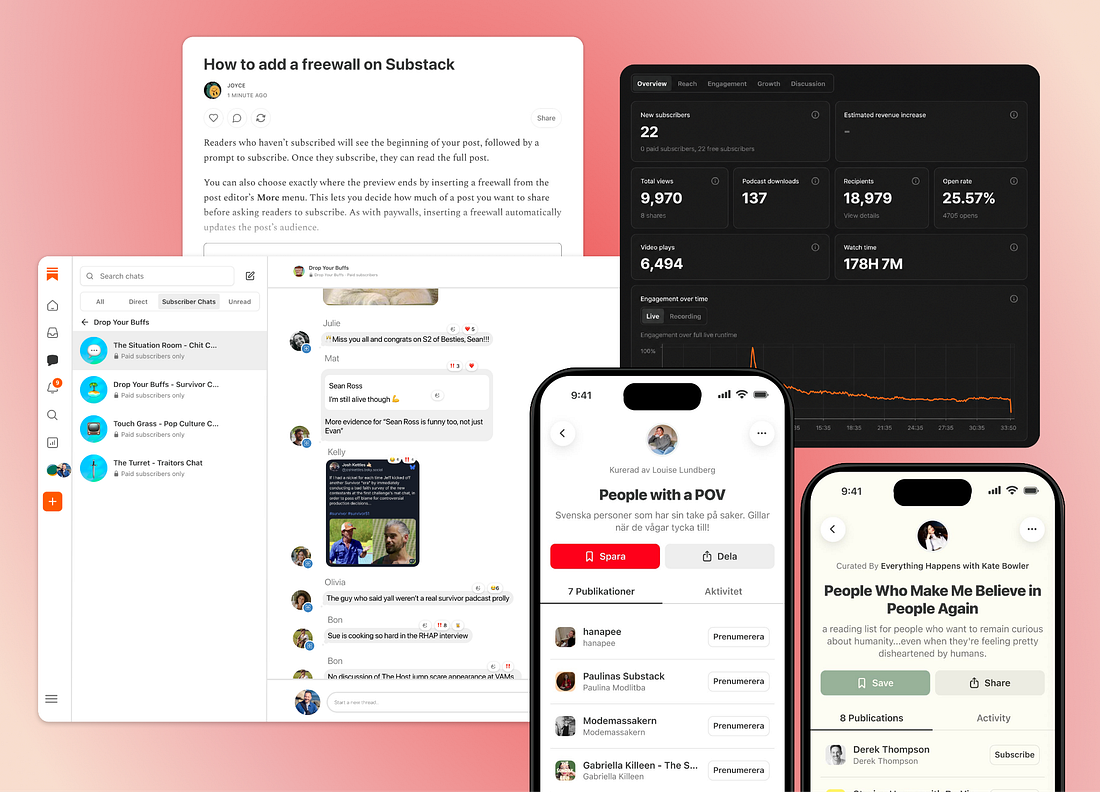 |
Our latest product updates give everyone more ownership over what they read, listen to, and watch on Substack and give creators more ways to connect with their audiences and turn that connection into long-lasting support, including paid subscriptions.
Here’s the latest.
Chat channels
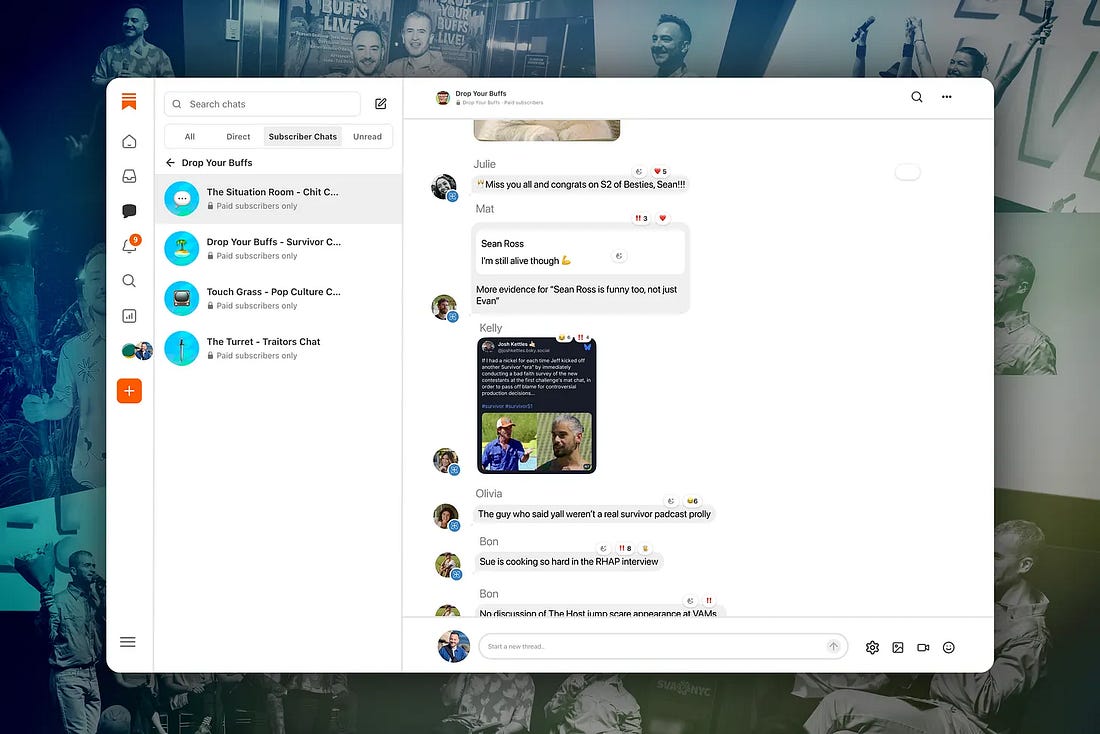
Publishers on Substack are building large, vibrant communities with Chat. You can now create multiple subscriber group chats—“channels”—within a publication to focus on specific topics, like a TV series, sporting event, or AMA.
As a creator, you control who can join, post, and reply in subscriber chats. You can make a channel available to all subscribers or reserve it for paying subscribers. You and your subscribers can now tag other participants using their Substack handles (and edit your messages so the conversation is free of typos).
We recently spoke to Sean Ross, cohost of popular TV watch-along podcast Drop Your Buffs, about how he turned his obsession with Survivor and its fandom into a podcast and chat community. You can read more here.
 |
Learn more about chat channels in our Help Center.
Lists
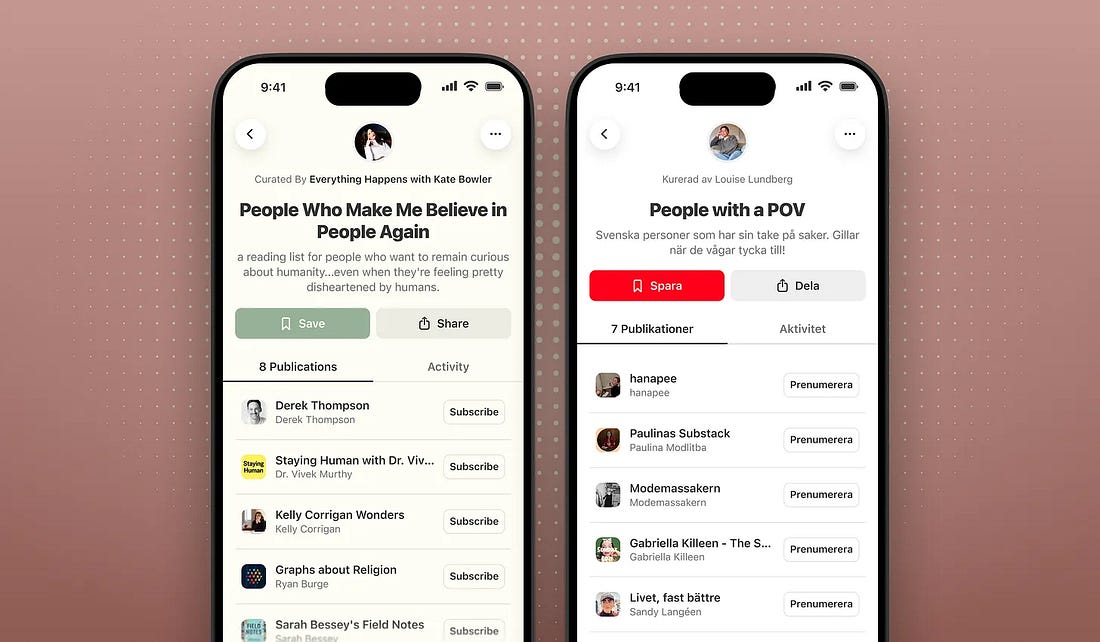
Yesterday, we launched lists, the next generation of recommendations on Substack and a new way to showcase the work you care about.
Curate your list, give it a name and a description, and write a short blurb for each publication so people know why you selected it. When someone opens your list, they’ll see each publication with your blurb, plus the chronological feed of posts from everyone on the list under the Activity tab.
 |
Learn more about creating lists in our Help Center.
Freewalls
Freewalls help you turn a reader’s passing interest into a direct relationship by asking readers for their email address before they can read a full post.
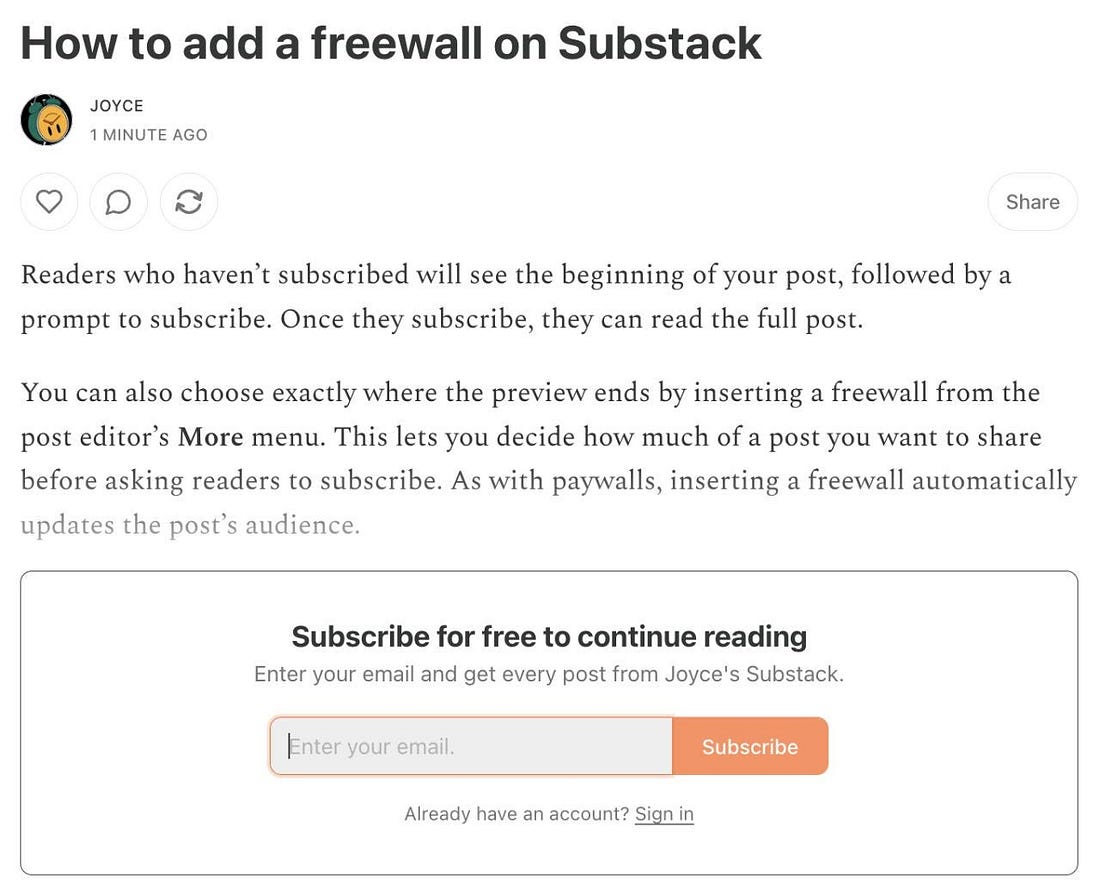 |
On Substack, you own what you create. You can export the email addresses of both your free and paid subscribers to give them another way to engage with you and support your work.
Learn more about freewalls in our Help Center.
Metered paywalls
With metered paywalls, you can give free subscribers access to a set number of paid posts each month. You decide how many paid posts free subscribers can access each month and which posts are included. Metered paywalls help you deepen your relationship with your readers by allowing them to experience the value of being a paid subscriber.
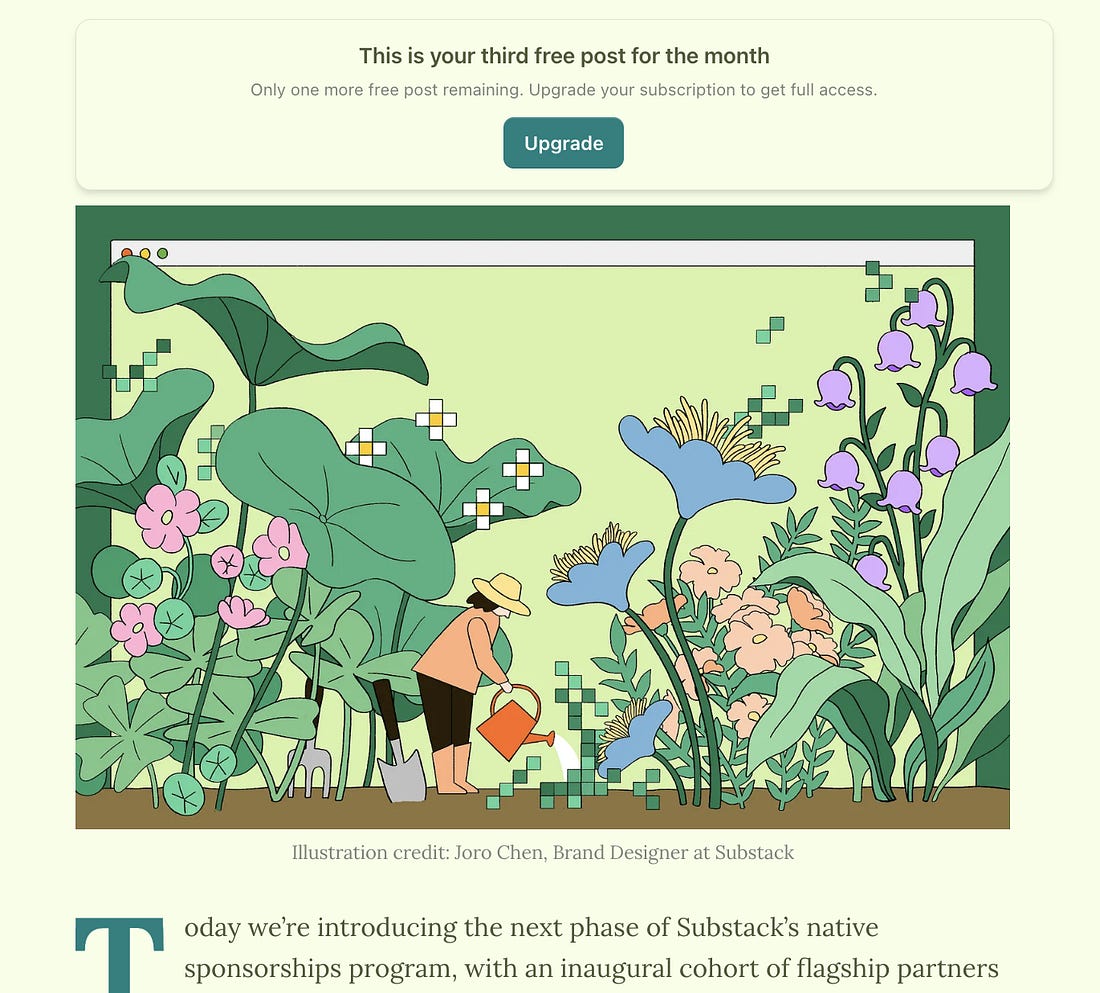 |
When readers reach the limit you’ve set, you can encourage them to subscribe for full access to your work.
Learn more about metered paywalls in our Help Center.
Discounts
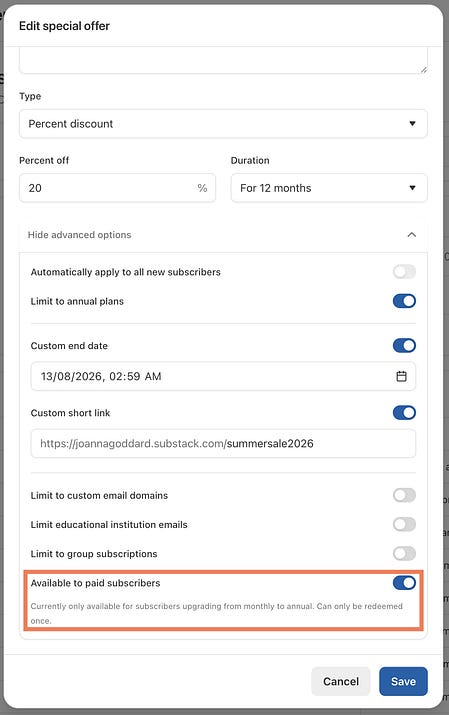
You can now create a discount to incentivize your monthly subscribers to upgrade to an annual subscription.
This much-requested feature gives you a way to encourage your biggest fans to commit for the long term.
 |
Learn more about discounts in our Help Center.
Games category
The Games community is already home to standout writing, podcasts, and videos. As it continues to grow, we’re excited to give its creators a dedicated place to be discovered.
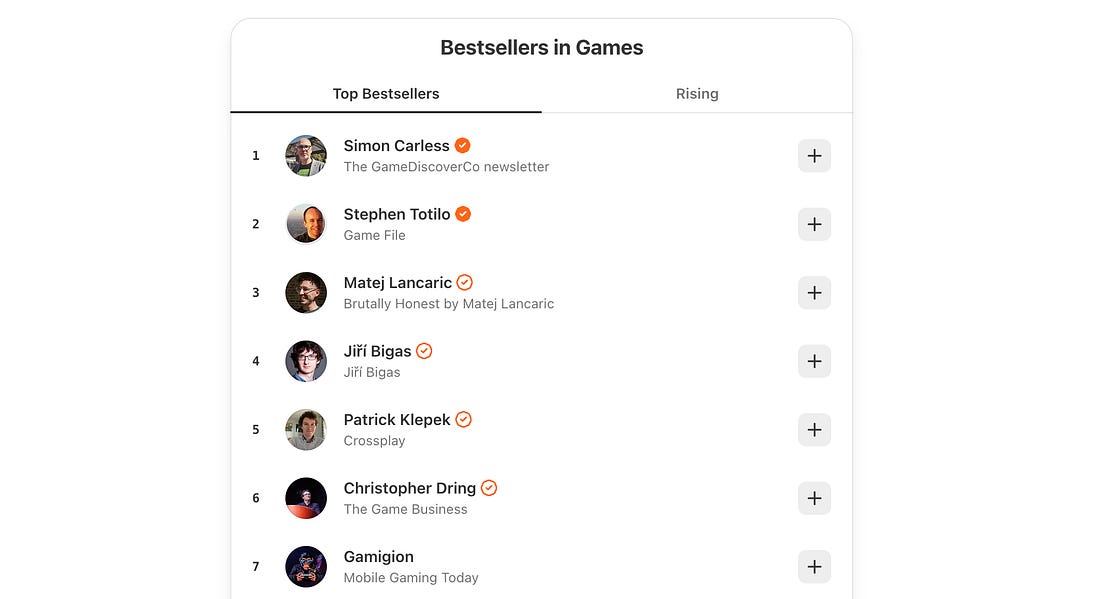 |
If Games is a fit for your publication, switch your primary category in your publication dashboard, and check out the new Games leaderboard.
Schedule ad hoc emails
Previously, you could use the subscriber dashboard to send an email to a subset of your subscribers. Now you can schedule emails containing special offers, event reminders, or other targeted messages to specific segments of your audience.
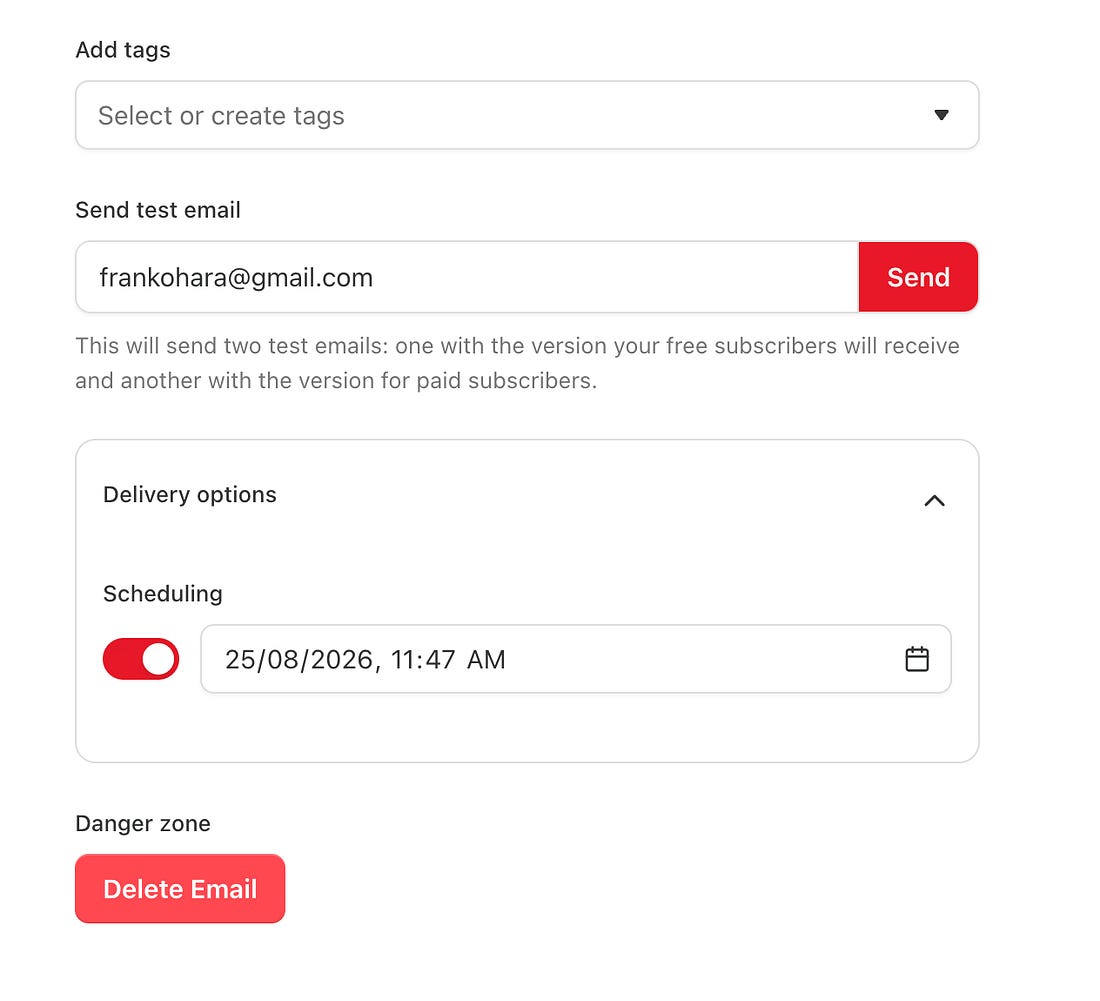 |
Learn more about scheduling ad hoc emails in our Help Center.
Podcast updates
In September, we launched the Podcast tab to support the thousands of podcasters making Substack their home. Podcasters on Substack collectively earn over $200 million a year. In the past month, we’ve added even more features to help you run your podcast business on Substack. Here are a few standouts:
YouTube multicasting
Your livestreams can now reach your audiences across both Substack and YouTube. Connect your YouTube account to Substack, and your video posts will upload automatically to YouTube when you publish. You can also start or stop the YouTube stream partway through or end it without ending your Substack stream, to keep your Substack community front and center.
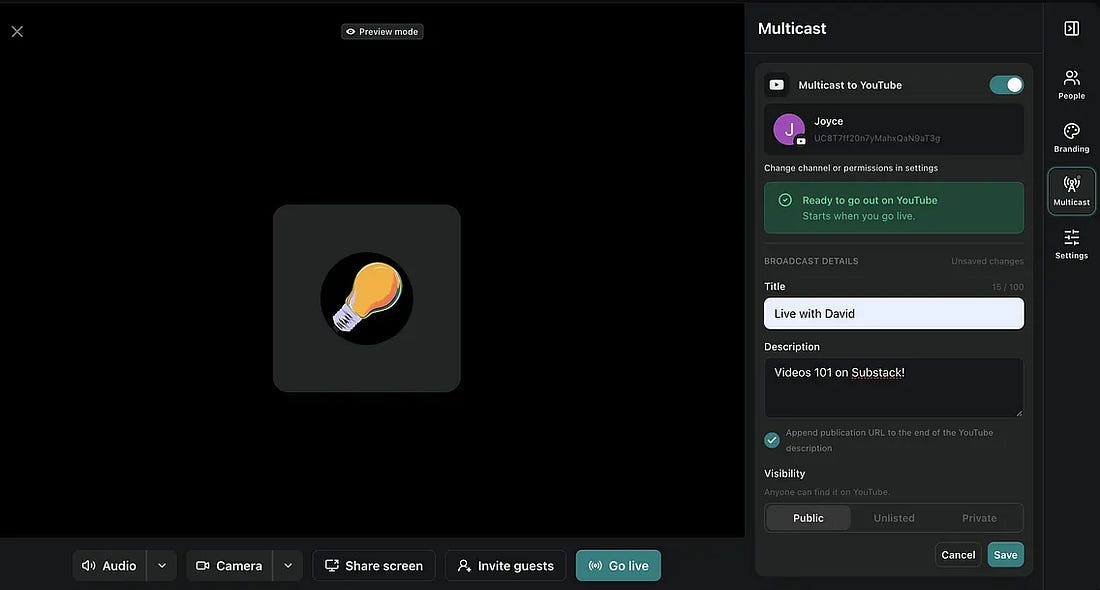 |
Learn how to connect your YouTube and Substack accounts in our Help Center.
IAB Tech Lab certified and more complete data
Substack’s podcast download measurement is now IAB Tech Lab certified. IAB Tech Lab sets the standard for measuring downloads and is trusted by advertisers and sponsors across the industry. This certification makes it easier to report on your show’s growth and pitch to sponsors.
Spotify downloads are now included in your Substack podcast data, too.
We’ve also upgraded post stats so you can track engagement over time, with separate stats for live viewers and people who watched the recording. This helps you understand how your audience engages, whether it’s with a livestream, audio podcast, or video podcast.
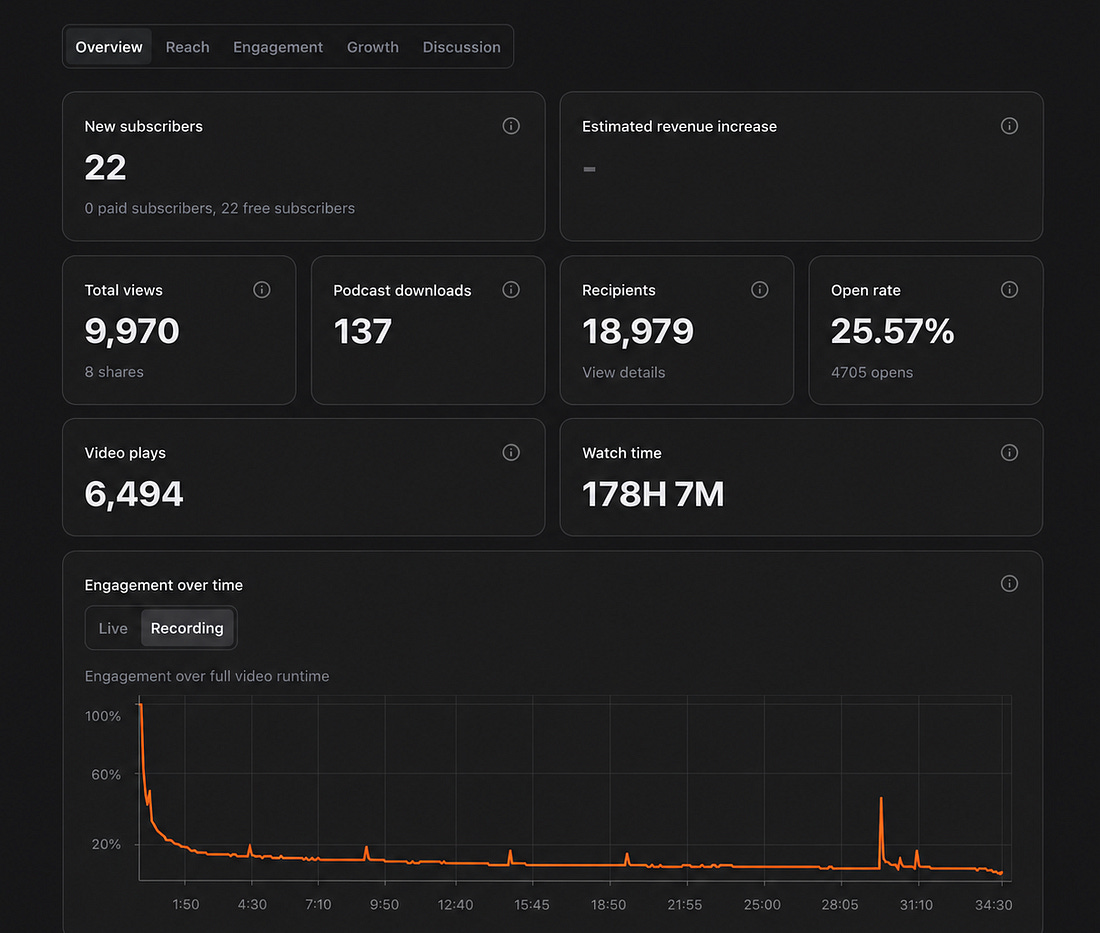 |
Together, these updates offer a more complete picture of how your work resonates with your audience, so you can do more of what works and less of what doesn’t.
Voiceovers
Posts with voiceovers can now be experienced like a podcast. With author-read voiceovers, your subscribers can choose to read or listen to your post. Posts with voiceovers are also eligible for Podcast tab rankings, which gives your written work more ways to be discovered.
Simon Haisell, the publisher of Footnotes and Tangents, has added voiceover to all of his posts. He told us that despite not always liking the sound of his own voice, “recording my voiceovers has been a revelation. You’re asking a lot from readers to sit down and read a 3,000-word article. But a voiceover lifts your words off the page, letting listeners take you anywhere.”
And he added that “as the internet becomes saturated with AI-generated content, this is honestly the easiest way to let readers know that they are engaging with another human.”
Listen to Simon’s posts on James Joyce’s Ulysses here.
Learn how to add voiceover to your posts in our Help Center.
Automatic downloads
Subscribers can set up automatic downloads of recent posts from individual publications or across their subscriptions. They can take your articles or podcasts with them, whether they’re commuting without service or traveling and out of their regular routine.
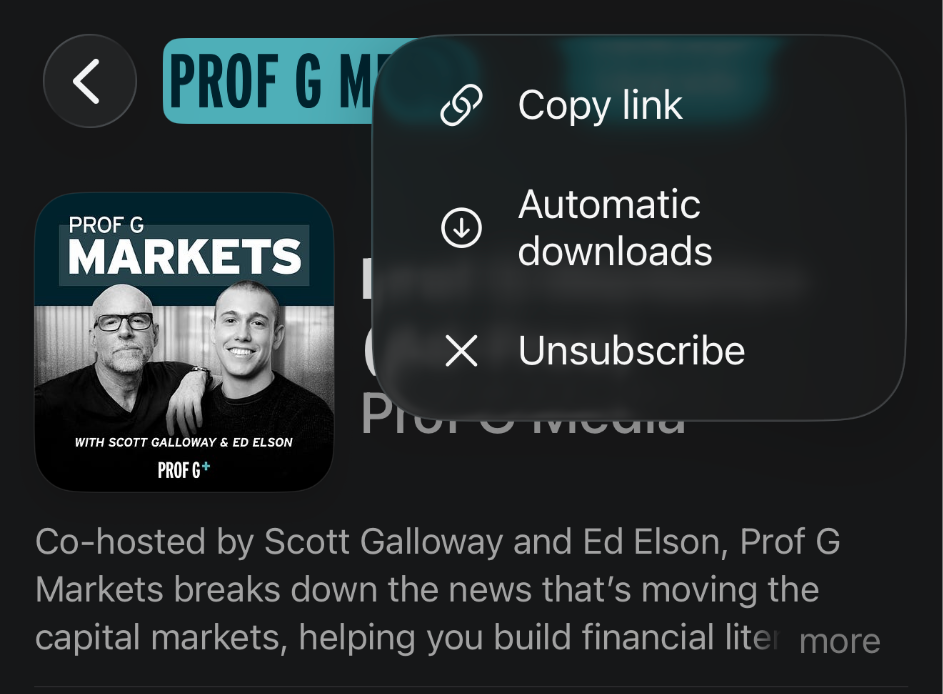 |
By default, only the audio from video posts will download to save data, but subscribers can enable video downloads for individual publications.
And a bonus: customized cursor
Your Substack is yours, right down to your cursor. You can now create a custom cursor by going to Publication Dashboard → Settings → Custom Cursor.
 |
|


If you have a story about how a specific feature or best practice helped you grow your Substack, let us know in a Note, in a post, or by restacking. Thanks for being here.
Thanks for subscribing to On Substack. This post is public, so feel free to share it.
| |||||||
| |||||||